[News] Multitouch Gestures in iOS 4.3 Demoed on iPhone *VIDEO*
Friday, January 21, 2011

Well it looks like multitouch gestures for iPhone 4 and 3GS are present in the current developer-only iOS 4.3 Beta releases. A YouTube video just surfaced shows these gestures in action on an iPhone 3GS, running iOS 4.3 Beta 1.
However Apple has already confirmed that the gestures option for iPad (and probably iPhone too) wont be available to public when iOS 4.3 goes gold. They are probably going to release it as a major feature for iOS 5 when it is introduced with iPhone 5 in June this year.
Well it looks like multitouch gestures for iPhone 4 and 3GS are present in the current developer-only iOS 4.3 Beta releases. A YouTube video just surfaced shows these gestures in action on an iPhone 3GS, running iOS 4.3 Beta 1.
However Apple has already confirmed that the gestures option for iPad (and probably iPhone too) wont be available to public when iOS 4.3 goes gold. They are probably going to release it as a major feature for iOS 5 when it is introduced with iPhone 5 in June this year.
[News] Apple Internally Testing Multitouch Gestures for iPhone 4
Friday, January 21, 2011

BGR has got hold of some exclusive screenshots which shows multitouch gestures options for iPhone 4, similar to what we saw for iPad in iOS 4.3 Beta 1. The screenshots are apparently taken from an iPhone 4 unit which is currently being tested internally at the Apple’s Cupertino campus.

Interestingly, you will be using same four or five fingers gestures on your iPhone’s screen too, which is strange given the small size of the screen when compared to iPad.


Also, Apple has confirmed that the gestures option for iPad (and probably iPhone too) wont be available to public when iOS 4.3 goes gold. They are probably saving it as a major feature for iOS 5 when it is introduced with iPhone 5 in June this year.
[News] Top iPhone and iPad Apps of All-Time
Friday, January 21, 2011

As Apple counts-down to the 10 billionth app download, they have revealed the all-time top applications for both iPhone and iPad. The top applications are broken into four categories: Top Paid iPhone Apps, Top Free iPhone Apps, Top Paid iPad Apps, Top Free iPad Apps.
In the list of Top 10 Paid iPhone Apps, 9 are games. Paper Toss was the only one game to make it to the Top 10 Free iPhone Apps list.
On the contrary, the iPad games didn’t have much importance. Also, the Top 10 Free iPad Apps list wasn’t much different from the iPhone.
Facebook was the most downloaded application on the iPhone. But, it was absent from the iPad list because there is no official Facebook application for the iPad. If there was, it would have undoubtedly been the most downloaded application on the iPad too.
Here’s the list of the most downloaded application:
All-Time Top Paid iPhone Apps
- Doodle Jump
- Tap Tap Revenge 3
- Pocket God
- Angry Birds
- Tap Tap Revenge 2.6
- Bejeweled 2 + Blitz
- Traffic Rush
- Tap Tap Revenge Classic
- AppBox Pro Alarm
- Flight Control
- Pandora
- Google Mobile App
- Shazam
- Movies by Flixster
- The Weather Channel
- Google Earth
- Bump
- Skype
- Paper Toss
- SoundHound
- StickWars
- FlightTrack
- Backbreaker Football
- Calorie Tracker
- BlocksClassic
- iFart Mobile
- GoodReader for iPad
- Cro-Mag Rally
- Ambiance
- Pandora
- Google Mobile App
- Movies by Flixster
- Google Earth
- Yelp
- Fandango Movies
- Remote
- iBooks
- Bible
- Solitaire
[News] Cydia Adds “Manage Account” Feature, Which Shows Every App That Was Ever Purchased on Cydia
Friday, January 21, 2011

We knew it was coming, and now it looks like Saurik has finally rolled out a new major update for Cydia.
The most prominent new feature of this update is “Manage Account”. This new feature will help you keep a complete record of all your installed packages and apps that you have purchased from the Cydia store. This is something which even Apple’s App Store doesn’t have yet.
All your purchases are tied directly to your Facebook or Google account. Now if you restore your firmware, or purchase a new phone, you can easily install back all your jailbreak apps and tweaks without having to manually look for them again in Cydia repositories.
And this is not it, App Store like commenting, ratings and backup of installed Cydia repositories is said to be coming next. Jailbreaking iPhone, iPad and iPod touch is now going to be a whole a lot more fun !
[Crack] SleepFX 1.1
Friday, January 21, 2011

Update : Version 1.1 released ! Crack is out !!
v1.1
- New sounds and settings.
- Random effect.
- Wake effect (experimental).
- Fixed memory leak in Fade Tiles
Download 1.1 Cracked : Official
Requires iOS 4.0+
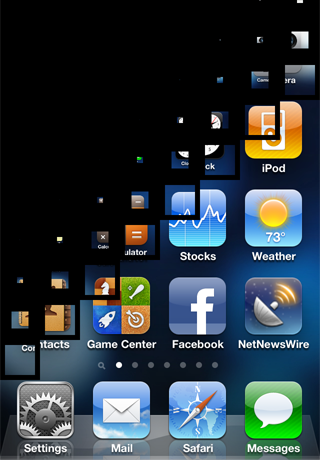
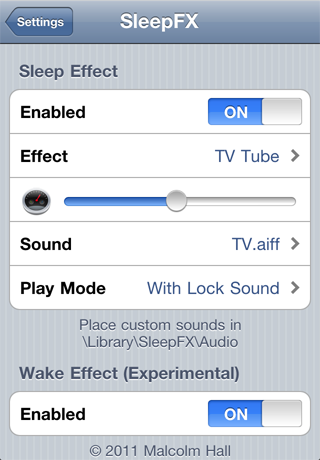
Enjoy stunning effects when the screen dims. From the makers of TV Tube Sleep, SleepFX has been developed in response to overwhelming customer demand for more effects and options. Effects include the famous TV Tube (now with sound), Split Columns, Spin, Fade Tiles, Suck and others. Effects are customisable using options such as effect type, animation speed and sound
No new icons are added to your homescreen. Options are configured from your Settings app.
Notes :
------------------------------------------
Previous Version
1.1 : Official
[Crack] Optimized Zhuyin Keyboard 1.4
Friday, January 21, 2011

Update 2 : Version 1.3 released ! Crack is out !!
- v 1.4
- Add Eten-Zhuyin layout (41 Keys)
Download 1.4 Cracked : Official
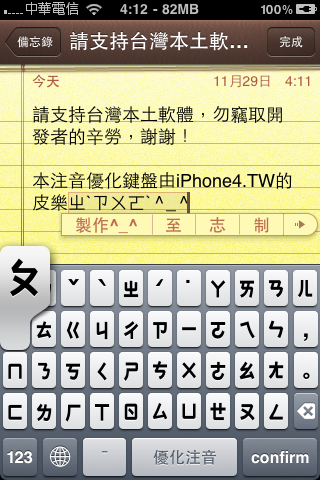
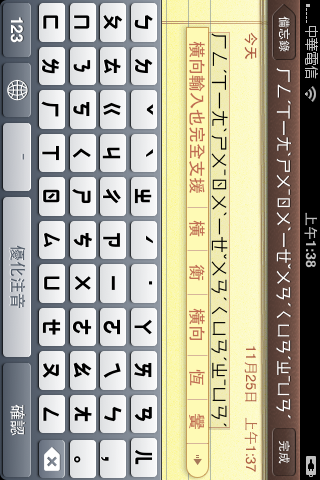
This package will add a new Zhuyin keyboard layout like on your computer.
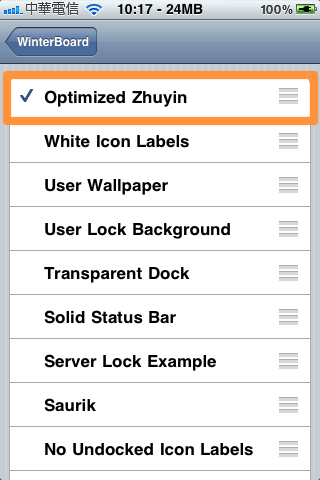
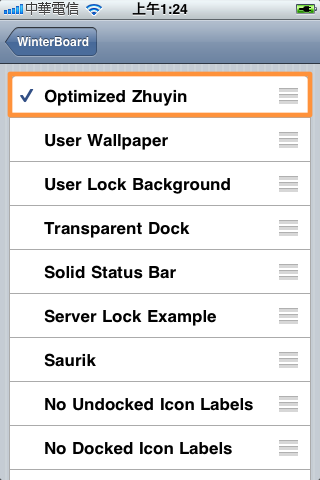
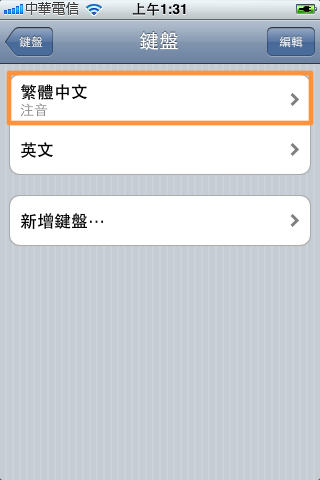
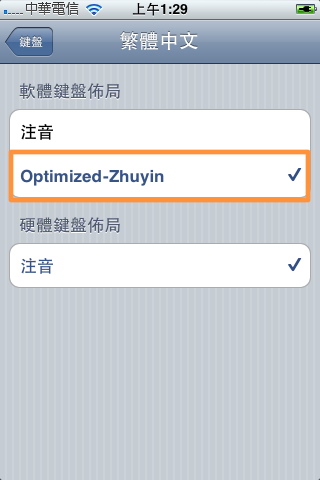
This modification is achieved by using a Winterboard theming feature for file substitution. You must first activate the newly added theme from the Winterboard configuration in the Settings app. This has to be done before you can view and choose the Optimized keyboard layout from Settings. See the screenshots below .
After active the theme in Winterboard, go to Settings>General>Keyboards>International Keyboards, choose Chinese - Traditional (Zhuyin), and go into the submenu, choose Optimized Zhuyin.
Notes :
---------------------------------------
Previous Version
1.1 : Official
1.0 : Official
[Crack] Instant Mirror 1.03
Wednesday, January 19, 2011

- v 1.03
- Performance Improvements
- Corrected a few bugs
Download 1.03 Cracked : Official (Credits to Fabius)
Requires iOS 4.0+
Requires a device with a front-facing camera. Not compatible with iPad
Instant front camera on your LockScreen!
Ever needed a mirror quickly and couldn't find one around?
Have you been out on a date not knowing how you look like at that special moment?
Want to make a move on the person across the room, but not sure of your looks at the moment?
Just tap your home button and you can see yourself at once in the LockScreen, using the built-in front-facing camera of iPhone4/iPod touch 4. No need for any other move at all to access your front camera! You may also take photos using home+sleep buttons (screenshot)
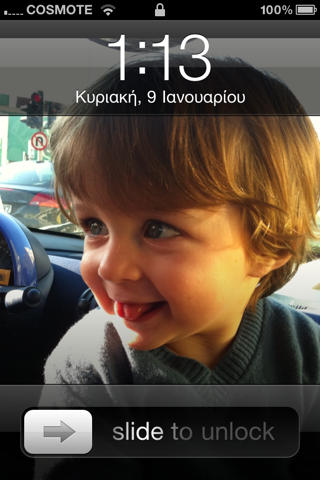
Now you can use this feature anytime, anywhere, instantly. Note: This only works on devices with facing camera, such as iPhone4 or iPod touch 4. On any other device it will either show the back-side camera instead or not work at all
No new icons are added to your homescreen. You can configure options from your Settings app.
---------------------------------------
Previous Version
1.01 : Official
[Free] AppBackup 1.0.13-1
Monday, January 17, 2011

Update : Version 1.0.13-1 released !
v1.0.13-1
- Added the ability to ignore and un-ignore apps in the backup list and when using the All button.
- Fixed a crash caused by an error in the Dutch translation. (Tim van Neerbos was consulted about the problem string. This bug only affected users who have their language set to Dutch.)
- The unique bundle ID of each app is now displayed under its name in the backup/restore prompt
Download 1.0.13-1 : Official
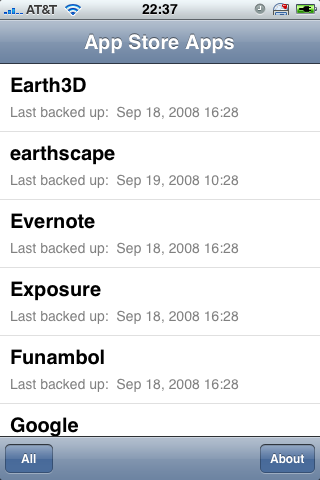
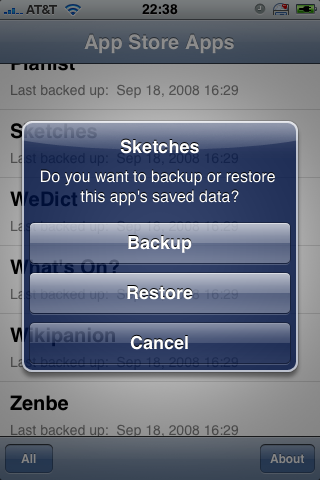
An iPhoneOS application that backs up and restores the saved data and preferences of App Store apps.
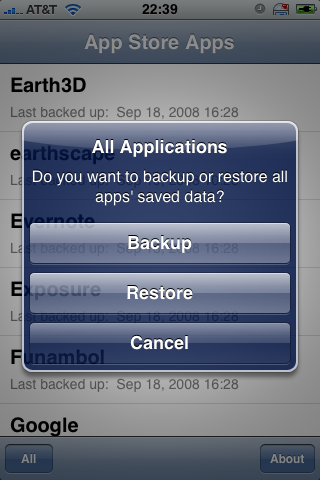
To back up all apps at once, tap All at the top-left of the screen, and select Backup. To restore all apps that have been backed up at once, tap All and select Restore. (You must have at least one app backed up in order to see this option.)
Subscribe to:
Posts (Atom)