[How-To] Create Custom Ringtones with Homebrew App Manager for Windows Phone 7
Thursday, December 02, 2010

The first homebrew app (along with full source code) for Windows Phone 7 has just been released ! Dubbed as ChevronWP7 Custom Ringtone Manager, it allows you to select WMA media files of you choice which you can deploy to your device as ringtones.

They are two parts to it. What you basically do is that you run the desktop app on your PC, select up to 5 WMA files of your choice, and then hit “Build ringtone XAP” button which will create a custom .XAP package. You will then have to simply deploy this package to your device to install custom ringtones on your phone.
Installation notes from the official site:
The applications has two componentsYou will of course first need to unlock your phone with ChevronWP7 in order to install custom ringtones via ChevronWP7 Custom Ringtone Manager.
Notes
- Desktop application – used to build a custom XAP package with 5 custom ringtones you select from your computer(Required .NET 4.0 Framework)
- XAP application – to be deployed to your WP7 to install custom ringtones to the system
- Ringtones have to be in the WMA format at 48KHz as required by the OS. We recommend using Expression Encoder 4 (free) to transcode any MP3s.
- Currently, to deploy the XAP you will have to use the Microsoft “Application Deployment” tool with the Windows Phone 7 Developer SDK. In the future, we hope to make available a standalone deployment solution for homebrew apps.
Follow our complete step by step guide posted here to unlock your phone using ChevronWP7 if you haven’t already.
Download ChevronWP7 Custom Ringtone Manager
[News] iOS 4.3 to Bring AirPlay Video Streaming to Safari and Third party Apps in 2011
Thursday, December 02, 2010

AirPlay was introduced with iOS 4.2.x which allowed users to stream audio, video and photos via supported iOS devices so that you can watch them on your television sets (using Apple TV). This feature though came with its share of limitations, the primary being the lack of support for third-party apps, and audio-only streaming from Safari.

There are of course ways to enable AirPlay Video Streaming in all iOS Apps, but I bet most of the users would prefer getting a concrete solution. Maybe Apple can release an API that can be utilized by the third party app developers to enable streaming via their applications.
The problem was initially put down by many who thought that the issue could be related to bandwidth limitation. But a more concrete reason could be associated to Apple making haste with the incomplete version of AirPlay that doesn’t support third party apps. Again in my opinion this haste was made to ensure that the iOS 4.2 is released in November. The second most nagging issue that has been noted is that users are unable to stream content on their iPhone 4 via AirPlay that has been shot on their iPhone 4. The reason as mentioned above could be bandwidth related.
Whatever the reason was, Steve Jobs in his response to a mail clarified that AirPlay will have all these features added in 2011, possibly via the next iOS 4.3 software update.
Q: Hi, I recently updated both my iPhone 4 and iPad to 4.2. I think my favorite feature is airplay. This is seriously amazing and makes sharing content seamless. I just purchased Apple TV and was wondering are you ever going to make airplay video work for videos in safari and 3rd party apps? I hope to get a response.
A: Yep, hope to add these features to Airplay in 2011.
[News] Two Kinect Units Are Better Than One: 3D Video Recording to Knock You Off Your Senses *VIDEO*
Thursday, December 02, 2010

Two heads are better then one and the same can be applied to two Kinect units. Now what good sort of gaming quality would the two Kinect units provide when paired together is another story but Oliver Kreylos has paired them for a different purpose. Kreylos released a video recently demonstrating the two paired Kinects, the output being meshed to add a different dimension to Microsoft’s gaming device.
Apparently when the two are made to work together to create 3D video, although Kreylos had already demonstrated the same with a single Kinect earlier but this one is slightly better. From the video you can see that the two devices combined help create a dotted pattern and better still control the camera position to record his hand gestures between the two Kinect devices. All this controlling is real time and is impressive.
Many of our readers would think or complain about the poor quality and the black spots and holes. Well first this is definitely a very rough attempt and the purpose is only to show that this 3D recording can be done using Kinect. Secondly the holes and spots you see are blotches left due to one Kinect’s IR pattern affecting the recording of the second. However when the two frames are combined it results in a more complete image since the empty spots from one are overlapped by the second.
I am guessing that over time this will see some big improvement. You can watch Kreylos’ previous 3D recording using a single Kinect device in the video embedded below.
UnlimVideos 4.2
Thursday, December 02, 2010

Update : Version 4.2 released !
- v 4.2
- Added AirPlay compatibility: in order to use airplay you need to install one of the two tweaks available on cydia
- v 4.0-1
- Possible fix for blackra1n users
Download 4.2 : Official
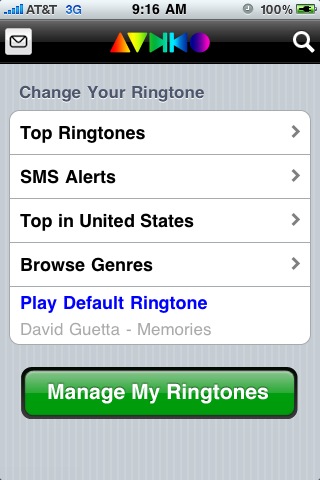
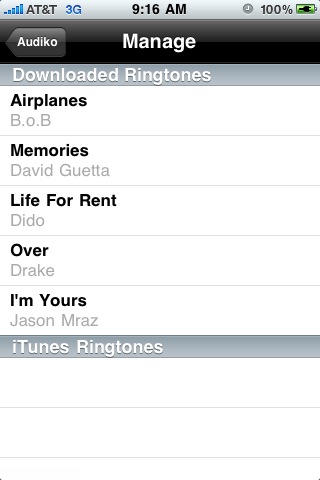
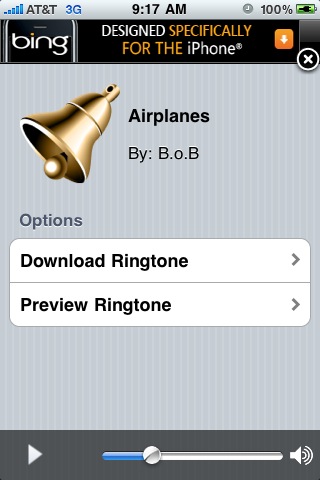
UnlimVideos is a free application from the dev Enea Gjoka, creator of UnlimTones, available on BigBoss.
This application will permit you to watch videos in streaming or download videos like TV series, films (US service).
-----------------------------------------
Previous Version
4.0 : Official
3.9-90 : Official
3.8-1 : Official
3.6-3 : Official
3.5 : Official
3.2 : Official
2.7.2 : Official
2.6.2 : 4shared
2.5.2 : 4shared
[How-To] Fix Battery Drain Issue After Unlocking iPhone 3GS / 3G With Ultrasn0w 1.2 on Baseband 6.15.00
Wednesday, December 01, 2010

The recently released PwnageTool / Redsn0w jailbreak tools for iOS 4.2.1 requires you to transfer iPad’s 3.2.2 baseband to your iPhone 3GS & 3G in order to unlock it using Ultrasn0w 1.2. This has resulted in poor battery performance as has been experienced by many users. Some users have also complained about their device becoming very hot when in use.
An official fix for this problem is currently being worked on, and it will be released on Cydia when ready. But in the meantime, you can try one of the following methods to temporary fix the issue:
Method 1: The first method requires you or a friend to have the official iPhone SIM card. What you need to do is put that SIM in the iPhone and let it activate officially. It will even work if the SIM card is not active in that country or is dead. Once your iPhone is activated with this SIM card, you can then take it out and switch back to whichever one you like.
Method 2: If you cannot get hold of an official SIM card, a temporary fix is to install SBSettings and turn your 3G off every time you are done using it. This will prevent the battery drain issue but is slightly tedious and annoying.
Method 3: This method is not available yet but a Dev-Team member is said to be working on an official fix for this issue. Once released on Cydia, all you will need to do is install it to your iPhone.
Here is the statement from Sherif Hashim:
On a very important side note, before anyone starts to complain about battery drainage issues after installing the new ultrasn0w on the 6.15.00 updated BB, the culprit here is not ultrasn0w, it’s the hacktivation process (activating the phone by pwnage tool or redsn0w rather than using an official carrier sim to do so) that u mostly did while jailbreaking.
The 4.1 and 4.2.1 ipsws unlike their old ancestors, seem to keep looking for valid push certificates all the time, either thru your wifi, or thru your cellular data network (which u only have after installing ultrasn0w and hence u accuse it) , this can be seen clearly if u have a cellular working data plan for 3g or edge and u watched the settings > general > usage > cellular network data (sent & received are continuously increasing even without using any internet traffics on the phone) , this will also render the phone going hot even in stand by mode and also very rapid battery drainage occurs plus consuming ur data if you were not on an unlimited plan.
App Switcher Rotator 1.1-1 *Crack*
Wednesday, December 01, 2010

Update : Version 1.1-1 released ! Crack is out !!
v1.1-1
- packaging error fixed, now includes proper support files for mobilesubstrate
Download 1.1-1 Cracked : Official
App Switcher Rotator is a Simple Plugin that Addresses a Display Optimization Issue Currently Existent in the iPhone.
If a User Rotates its iPhone in Landscape Mode and the Presses the Home Button to Launch the App Switcher he will observer that the Apps Display is still in the Portrait Mode Despite the User Having rotated the iPhone View.
A Simple Plugin App Switcher Rotator can fix this display issue for the User’s of iPhone. App Switcher Rotator can Operate only on Jailbroken Devices and can be purchased from Cydia.
App Switcher Rotator Costs $1.49 and rearranges the Display of App icons to the Current Orientation.

Notes :
-------------------------------------------
Previous Version
1.0 : Official
iChat Pic 1.1 *Crack*
Wednesday, December 01, 2010

Download 1.1 Cracked : Official
Requires iOS 4.0+
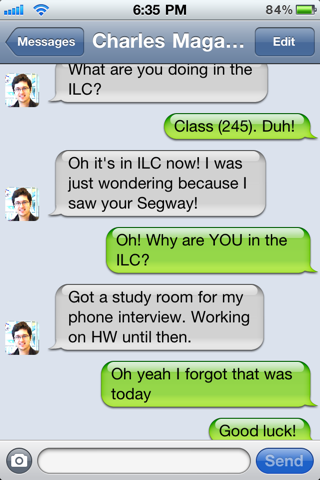
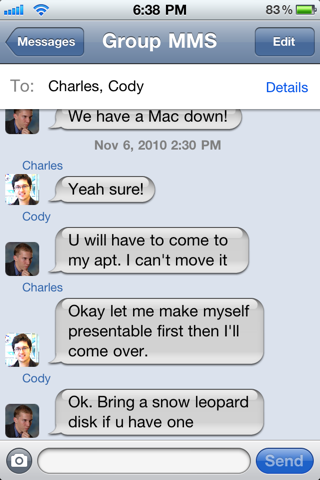
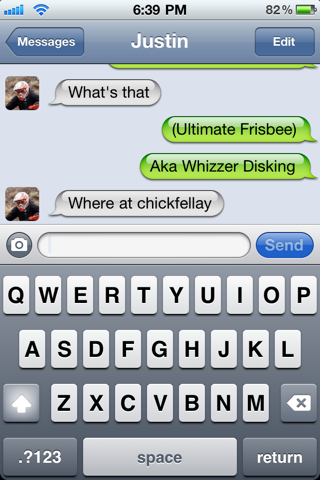
Shows address book photos next to text messages in the SMS app. Adds a lot of personality to incoming texts
No new icons will be added to your home screen, and there are no options to configure.
Notes :
HDR Photogragher 1.1-23 *Crack*
Wednesday, December 01, 2010

Download 1.1-23 Cracked : Official
Requires an iPod Touch 4G
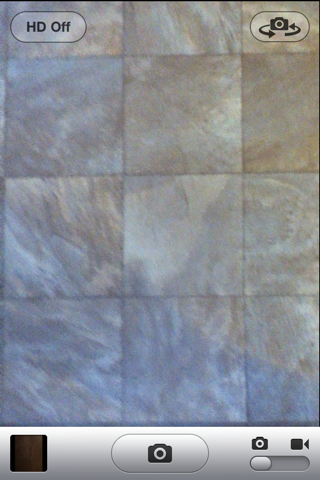
This enables the taking of widescreen (720p) photos on the iPod Touch 4th Generation with the in-built Camera application. This effectively adds more megapixels to the resulting photos at the cost of losing the traditional 4:3 aspect ratio.
Because of this cost, this tweak also adds a button to the Camera app that toggles the tweak in case you would like to retain the original ratio.
There are no icons installed for this item, and no settings to configure.
Notes :
Subscribe to:
Posts (Atom)