Snes4iPhone 7.0.0 *Crack*
Thursday, December 09, 2010

Download 7.0.0 Cracked : Official
Snes4iphone is a Super Nintendo emulator for the iPhone and iPod Touch. This port was developed by ZodTTD and the original source code was ported from Dr. PocketSNES. Though much of Dr PocketSNES' emulation cores were replaced with C/C++ alternatives to assembly cores provided. This is due to Apple using a specific register (R9) globally, disallowing many tightly written assembly sources to be used.
Notes:
- Does not require RockApp or Trial License
- Install using iFile or follow this guide : DEB installation guide
- Any Good ROM collections/sources/links please post in comments and i will add it here
ROM Links:
- http://www.coolrom.com/roms/snes/
- http://www.doperoms.com/roms/Super_Nintendo_Snes.html
- http://nitroroms.com/
ROM Cydia Sources:
- http://iromrepo.com/Cydia/snes/


---------------------------------
Previous Version
6.5.0 : 4shared
6.1.3 : 4shared6.5.0 : 4shared
ListLaunched 1.2-1 *Crack*
Thursday, December 09, 2010

Update : Version 1.2-1 released ! Crack is out !!
v1.2-1
- Fixed index with non-A-Z items.
- Support app installs/uninstalls.
Download 1.2-1 Cracked : Official
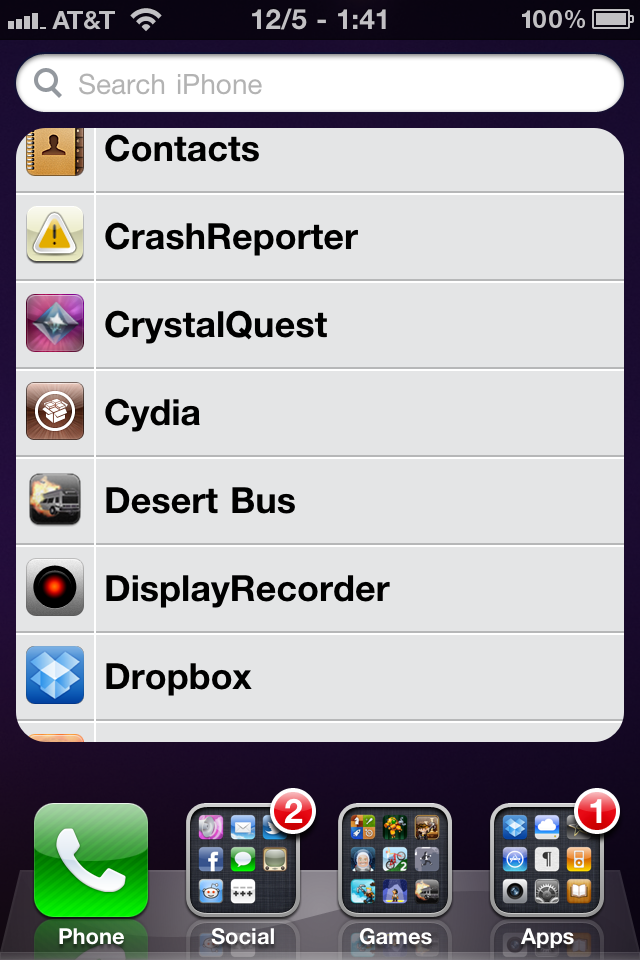
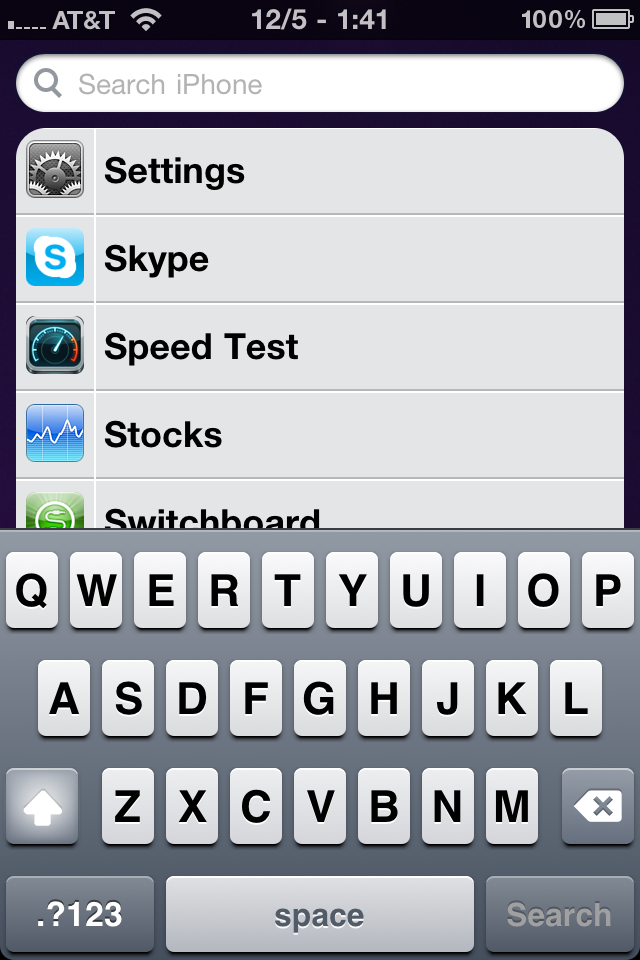
Sometimes you know what app you want, but not where it is. You could type it into Spotlight, but that takes to long. What you want is a list of all your apps, sorted by name. ListLauncher adds that to the Spotlight page -- but keeps Spotlight around for when you want it.
Launch your apps quick!
Supports iOS 4.0, 4.1, and 4.2!
Notes :
----------------------------------------------
Previous Version
1.1-1 : Official
1.0.0.0-1 : Official
[News] Untethered iOS 4.2.1 Jailbreak Is On Its Way ! *VIDEO*
Wednesday, December 08, 2010

MuscleNerd of the iPhone Dev Team has confirmed that he has got untethered jailbreak working on the latest iOS 4.2.1 firmware. He further explains that this a “backup” plan to Comex’s upcoming userland method and that it is generalizable.
Got "backup plan" for untethered 4.2.1 JB working (video coming up). Uses mysterious 4.2b3 hashes Cydia kept for youThis method also uses iOS 4.2b3 (Beta 3) SHSH blobs which Cydia was saving for all iOS devices last month. Oh an all iOS devices will be supported.
(It’s a "backup plan" because comex is working on a more extensible one, but this method is also generalizable)
ipt4g 4.2.1 untethered JB w/4.2b3 kernel: http://is.gd/inE4e … Wastes no exploits, but upcoming @comex JB maybe better
You can see it in action in the video embedded below:
[News] iPad 2 is Coming in Less than 100 Days, With FaceTime Support, Retina Display And Gyroscope
Wednesday, December 08, 2010

If recent reports are to be believed, Apple’s second generation iPad will begin shipping somewhere around the end of February 2011, which is around 100 days from now. Initial shipments will range between 400,000 and 600,000 units from Foxconn, which is Apples manufacturer for the iPad 2.
Still unconfirmed, but the report claims that mass production of the iPad 2 was expected for January 2011, but has now
been pushed back to February as Apple is still testing the iPad 2′s firmware. Apple devices are said to be undergoing more rigorous testing since the highly publicized defect of the iPhone 4 , which is now more popularly known as the Antennagate. The delay is specified to issues with the iPad 2 firmware, which could mean that Apple is eliminating final issues out of the new software whilst also depleting inventory of the current generation iPad. Speculation has indicated that the iPad 2 will include a front-facing FaceTime camera, Retina Display and a gyroscope, all very likely additions to keep in league with the current generation of Apple products.
Apple tend to announce their devices annually and at around the same time each year. June is usually the iPhone update announcement, whilst September is the time when new iPod’s surface and January could become the iPad keynote month.
A separate rumor also suggests that Qualcomm will be providing the baseband chips for Apple’s upcoming iPhone 5 and iPad 2. Watch this space for more information about all things Apple as it arrives. [Digitimes]
[News] White iPhone 4 Confirmed by Apple for Spring 2011
Tuesday, December 07, 2010

The illusive white iPhone 4 was first delayed back on the launch day when it was pushed to July, the second one was in July when it was delayed till “until later this year”. And then recently, Apple delayed it again until spring 2011 before removing it altogether from their online Apple Store site.

Apple CEO Steve Jobs poses with the white iPhone 4 during the Apple Worldwide Developers Conference in San Francisco, California June 7, 2010.
When the white iPhone 4 takes a photograph, the semi-translucent glass cases leaks extra light into the camera which absolutely ruins photographs. Cult of Mac’s source said, “You don’t get accurate pictures on the white iPhone because of the color of the glass back. It washes out the pictures”. The source also said that Apple might have to do a complete redesign of the white iPhone 4 to deal with the light leaks.But now, 9to5Mac has a shot of some new signage in Apple Stores which states that: “The white iPhone will be available Spring 2011”.

But since iPhone 5 will be right around the corner at that point, do you think anyone will be interested in a white iPhone 4?
SwirlyMessage for iPad 1.1.3
Tuesday, December 07, 2010

Update : Verson 1.1.3 released ! NO CRACK YET...
- v 1.1.3
- Corrects an SMS decoding error resulting in that some received SMSes were ignored/discarded
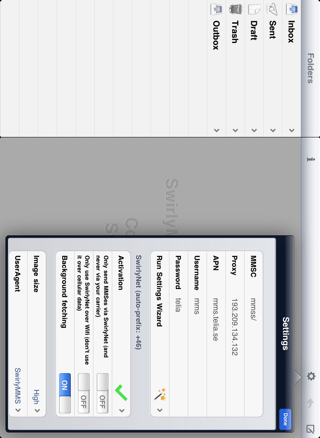
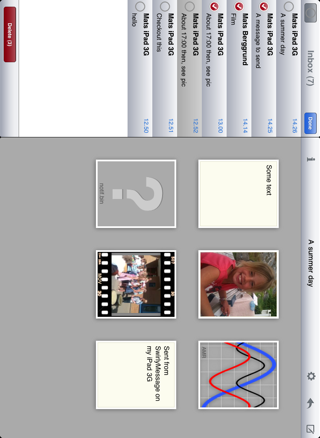
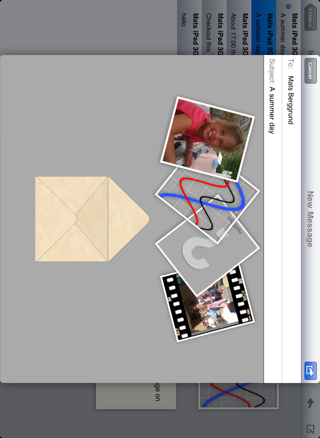
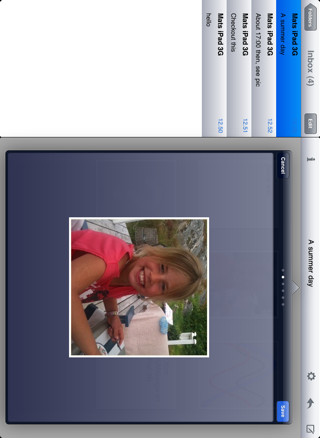
Send and receive real SMSes and MMSes with your iPad 3G.
To be able to use SwirlyMessage you need an iPad with a built in 3G modem. You also have to make sure that your carrier data plan allows for sending SMS and/or MMS. If you are unsure about this please contact your carrier.
iRealSMS 3.0.4.6-1 *Crack*
Tuesday, December 07, 2010

Update : Version 3.0.4.6-1 released ! NO CRACK YET...
3.0.4.6 Beta 1- Bugfix: Fixed Custom Ringtones of firmware 4.2 not working
- Bugfix: Fixed Delivery Reports / Sent Notifications not working since firmware 4.1
- Bugfix: Fixed bug where magnifying glass would be rotated by 90° in landscape QuickReply / QuickSend since firmware 4.1
- Bugfix: Fixed bug where magnifying glass and or Copy/Paste menu could be mispositioned on QuickReply / QuickSend
- Bugfix: Improved general handling of landscape keyboard etc. for QuickReply / QuickSend
- Bugfix: Clicking View from QuickReply at lockscreen with lockscreen password active would not open main app
- Bugfix: In Single SMS View there would appear an ugly bubble behind MMS pictures
- Bugfix: On QuickReply with call button ON the Call/Send button was not always labelled right
- Bugfix: On QuickReply it could happen that you pressed the Call button but it would function as Send button under special conditions
- Bugfix: General improvement of Send/Reply/Call button handling
- Bugfix: Sometimes after sending from QuickSend on lockscreen the screen would take too long to dim
- Bugfix: With not data connection available the main app would show an annoying popup error on some devices
- Bugfix: Fixed back to conversations button in main app on 4.2 saying "SHORT_TITLE" instead of "Conversations"
- Bugfix: When having QuickQueue with more than 2 items open on SpringBoard QuickSend would open up behind the QuickQueue
- Bugfix: Changed iRealNetwork system message sender id for better compatibility with worldwide networks - this ensures delivery of credits on some networks where it failed before
- Added: A lot of new localizations / translations - many thanks to the contributors!
-----------------------------------
Download 3.0.1.3 : 4shared
Get a Real SMS service
Features :
- QuickReply:
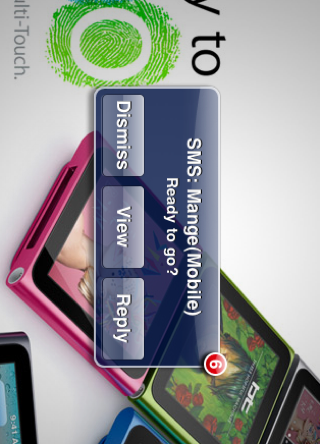
- View and Reply to an SMS from any application without having to exit your current app.
- Supports Lock Screen!
- New Landscape Layout
- Hide/Un-Hide Function allows you to background QuickReply so you answer at your convenience
(press home button to hide / tap status bar to unhide) - Option to Call Contact instead of reply
- iRealNetwork QuickSwitch allows you to switch network setting directly from the QuickReply
(long press/hold of the REPLY key will initiate the QuickSwitch)
- QuickSend:
- Compose a new SMS from any application without the need of going into the messages app.
- Supports Lock Screen!
- New Landscape Layout
- Favorites List
- Option to Call Contacts from QuickSend for added convenience
- iRealNetwork QuickSwitch allows you to switch network setting directly from the QuickSend
(long press/hold of the SEND key will initiate the QuickSwitch)
- MMS Support:
- Send & Receive MMS(for MMS enabled iPhones)
- Reply to incoming MMS messages via QuickReply!
- Insert MMS content directly into QuickReply & QuickSend!
- Contact Pics:
- Added to Conversation List
- Added to QuickReply
- Added to Single SMS View(via Folders Mode)
- Smileys:
- Smileys Available via App, QuickReply, QuickSend
- Smiley Filter Converts Incoming ASCII Smiley into iPhone Emoji Equivalent.
- Customizable to Send Outgoing Smileys as either:
- iPhone Smileys: Only other iPhones can view them (network restrictions may apply as some cell networks iPhone emoji is not compatible with one another)
- ASCII Smiley: Will Show on Recipients Phone as ASCII equivalent (for use when sending to other types of phones)
- ASCII Short Strings: Uses a shorter ASCII script for those that want to save on character usage
- Templates:
- Create Templates & Insert them into your Conversation via the App!(QuickReply & QuickSend Support not yet available)
- Supports Multi-Contact Lists, so you can easily make a template and use it as a SmartGroup
- Insert Option:
- Insert Option added to the Paste UI Callout.
(Double Tap or Long Tap the Text Field to reveal the PASTE | INSERT options. ) - Select Insert for 3 Options: (only available via App)
- Insert Contact: add a contacts info from your address book
- Insert Draft: Insert an unfinished message and complete it for sending
- Insert Template: Easily insert your pre-defined Templates!
- Insert Option added to the Paste UI Callout.
- Privacy Settings:
- Control the way your iPhone handles the Incoming SMS Alerts.
- Add Password Protection to your iRealSMS 3.0 Main Application and keep your conversations from prying eyes
- Blacklist:
- Our in-app Blacklist allows you to suppress certain numbers from producing an Alert of any kind and keeps it out of your Conversation List. Customize it to Auto-Delete the messages or to Hide them in the BlackList folder
- Folders Mode:
- The Standard for Most Phones: View Your SMS using a Folders format: INBOX / DRAFTS / TEMPLATES / OUTBOX / SENT
- Allows You to Control how you want to use your SMS app!
- Easily Reply and Forward by SMS or by Mail!
- Search Feature:
- Easily Search Your SMS Database by NAME | TEXT | ALL
(search function found in folders tab)
- Easily Search Your SMS Database by NAME | TEXT | ALL
- Character Counter:
- Counts the amount of Characters Being used in the Text Field as well as the Total Number of SMS messages that will be Sent
- Available in App, QuickReply, QuickSend
- Credit Counter:
- Displays the amount of remaining iRealNetwork SMS Credits.
- Available in App, QuickReply, QuickSend
- Time Stamps:
- Displays the Time Stamps for All Messages!
- Displays in Conversations mode by pressing the EDIT button
- Displays Time Stamps for Incoming messages in QuickReply
- Hide Keyboard:
- Option to Slide to Keyboard back off screen so as to show a full screen view of the conversation bubbles
(While in a Conversation simply tap on one of the text bubbles to have the keyboard slide off screen)
- Option to Slide to Keyboard back off screen so as to show a full screen view of the conversation bubbles
- Orientation Settings:
- Use your app under auto-rotate as normal or lock it into portrait or landscape mode.
- QuickReply & QuickSend can only Auto-Rotate or Portrait lock at this time
- Built-in Background Feature:
- For INSTANT launch times use the built in background feature! (utilizes some available memory)
- SAVE MONEY with RealNetwork:
- iRealNetwork is a new service bringing SMS to your iPhone as you are used to but MUCH CHEAPER. With 8 EuroCents per SMS it is a great deal for national SMS and unbeatable for international SMS. A common rate for int. SMS is 39 EuroCent which is 500% of our rate. It is in the nature of SMS services that we cannot support every destination in the world - therefore it is our policy to REFUND any Credit purchases which cannot be used because our service doesn't support the destination country or network you require. We are supporting over 570 networks worldwide though. So try it out and save your money!
- Have them handy for those of you that are only allotted a certain number of SMS messages a month! Why pay overage charges for SMS ala cart when you can just switch over to the iRealNetwork at usually a cheaper rate than what your carrier offers!
- Enable in Settings or by Long Pressing the SEND or REPLY button you can initiate a Quick Network Switch!
(iRealNetwork sends via your Internet connection so WI-FI, 3G or EDGE is necessary for use.) - QuickSwitch:
- Long Pressing the SEND or REPLY button you can initiate a Quick Network Switch to easily toggle between sending via your carrier or iRealNetwork
- Available in App, QuickReply, QuickSend
- Compatible with iBlacklist
- Compatible with WinterBoard

Notes :
MultiIconMover 1.0.0-1
Tuesday, December 07, 2010

Update : Version 1.0.0-1 released ! Changelog below
v1.0.0-1
- MOD: Allow installation on iOS 4.2.1.
- MOD: Changed method used for preventing installation on unsupported iOS versions.
- MOD: Changed version numbering due to move from Google Code (svn) to GitHub (git)
Download 1.0.0-1 : Official
Move multiple SpringBoard icons at a time.
How to use :
1. Place SpringBoard in icon editing mode (i.e. tap and hold any icon until all icons begin to jitter).
2. Tap the icons that you wish to move; a "checkmark" badge will appear, indicating that the icon is selected (tap again to deselect).
3. Switch to the target page.
4. Press the home button; the selected icons will be moved to the currently-visible page.
5. Press the home button again to exit editing mode.
Notes :
- The target page must have space available for the selected icons; if space runs out, any remaining icons will not be moved.
- Installation
-----------------------------------------
Previous Version
svn.r130-1 :Official
svn.r129-1 : Official
svn.r125-1 : Official
svn.r117-1 : Official
svn.r112-1 : 4shared
Subscribe to:
Posts (Atom)